Note: This article covers VAT compliance for UK-based dealers using the VAT Margin Scheme. It is not a substitute for professional tax advice. Always verify your setup with a qualified accountant or tax adviser.
The core problem: WooCommerce assumes standard VAT
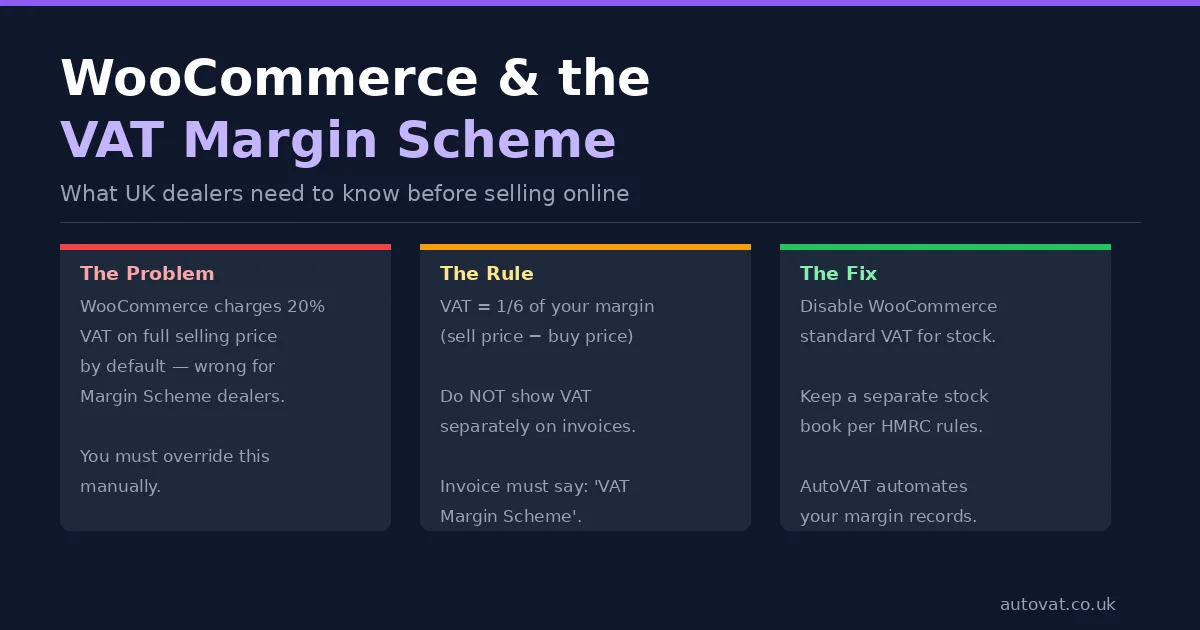
WooCommerce's built-in tax system is designed around standard VAT: you set a tax rate (20% for most UK goods), WooCommerce adds it to the selling price, displays it on receipts, and produces a tax total you can report to HMRC. For most UK e-commerce businesses, this works perfectly.
For VAT Margin Scheme dealers, it is entirely wrong.
Under the VAT Margin Scheme, VAT is calculated on your profit margin — the difference between what you paid for an item and what you sell it for — not on the full selling price. You cannot show VAT as a separate line item on customer invoices or receipts. You cannot charge the customer a VAT-inclusive price and then claim the VAT element was margin-scheme VAT. The mechanics of how VAT is calculated, recorded, and reported are fundamentally different from standard VAT.
If you simply turn on WooCommerce's standard 20% VAT and carry on, you will be calculating, charging, and reporting VAT incorrectly — and potentially overpaying HMRC significantly every quarter.
How VAT actually works under the Margin Scheme
To understand what you need to change in WooCommerce, it helps to be clear on how the Margin Scheme works. When you buy an eligible second-hand item for £500 and sell it for £800, your margin is £300. VAT is calculated at one sixth of that margin: £300 ÷ 6 = £50. You owe HMRC £50 in VAT on that sale.
The £50 is embedded within your selling price — it is part of the £800, not added on top of it. Your customer pays £800 total. There is no separate VAT line on their invoice. From the customer's perspective, the price is just £800. The £50 VAT element is yours to account for internally and pass on to HMRC at quarter end.
This is very different from standard VAT, where you sell something for £800 net, add £160 VAT, and the customer pays £960 total with the VAT shown separately.
What to do with WooCommerce tax settings
For your margin scheme stock, you should not apply standard WooCommerce VAT to those products. The simplest and most correct approach is to set up your margin scheme items with no tax class applied — zero or no tax in WooCommerce terms — so that WooCommerce neither calculates nor displays VAT on those product pages, shopping carts, or order confirmations.
This does not mean you are not VAT-registered or that you are avoiding VAT. It means your WooCommerce store is correctly not showing VAT to customers (as required under the scheme), and your VAT accounting happens separately — outside of WooCommerce — in your stock book and VAT records.
In WooCommerce, you can create a custom tax class (for example, "Margin Scheme — No Tax") and assign your second-hand stock products to it with a 0% rate. This way those products are clearly identified and treated consistently, and if you also sell any standard-rated new goods, those can use a separate tax class with the standard 20% rate.
Invoice and receipt requirements for Margin Scheme sales
HMRC has specific rules about what must and must not appear on documents issued by Margin Scheme dealers. You must not show a separate VAT amount on any invoice or receipt for margin scheme goods. Showing "VAT: £XX" on a customer's order confirmation for a second-hand item sold under the scheme is non-compliant.
Instead, your invoice or receipt should include the statement: "VAT margin scheme — buyer cannot reclaim VAT" (or similar wording making clear the transaction is under the scheme). WooCommerce's default order emails and receipts do not include this language — you will need to customise your order confirmation templates to add it for margin scheme products.
This matters because a VAT-registered business customer might attempt to reclaim input VAT from your invoice. Under the Margin Scheme, they cannot — and if your invoice incorrectly shows a VAT amount, it creates a compliance problem for both parties.
Order data and stock book records
HMRC requires every Margin Scheme dealer to maintain a stock book recording, for each eligible item: a unique stock reference number, the date of purchase, the purchase price, a description of the item, the date of sale, and the selling price. WooCommerce will record your sales, but it does not know your purchase price for each item — that information lives outside the platform.
This means you need a process to link each WooCommerce order to a corresponding stock book entry. The most practical approach is to use a product SKU or reference number in WooCommerce that matches the stock reference in your margin scheme records. When an item sells, you know exactly which stock book entry it corresponds to, and you can calculate and record the margin and VAT due.
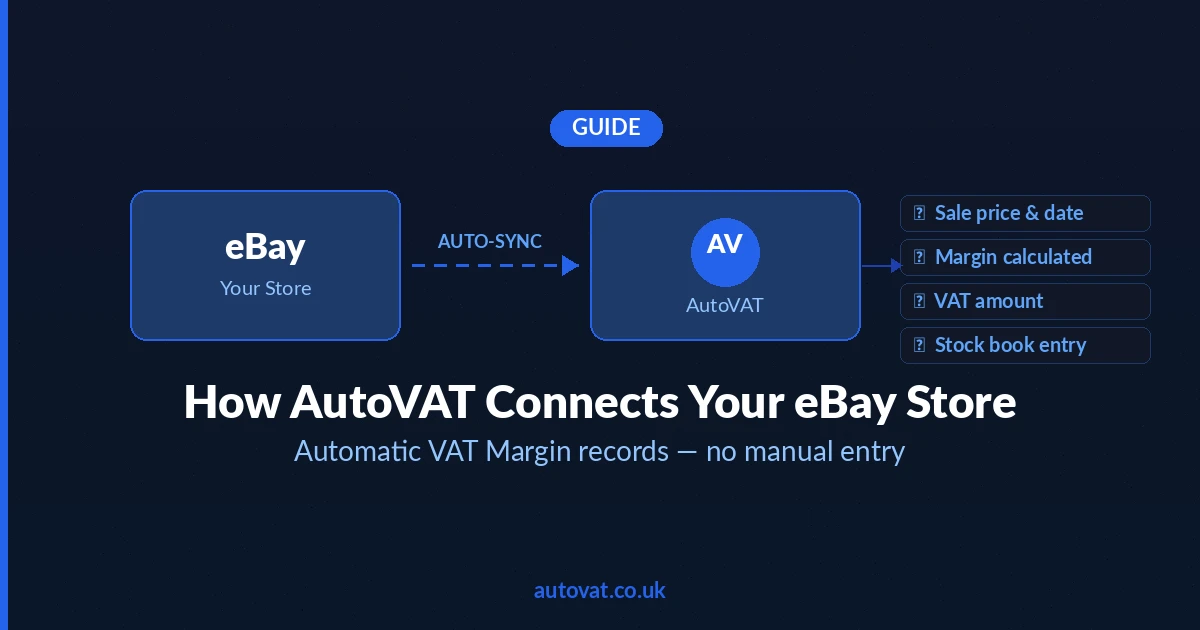
For dealers with high sales volumes, doing this manually across WooCommerce orders and a spreadsheet-based stock book becomes error-prone quickly. AutoVAT is designed to solve exactly this problem — connecting your sales data to a compliant stock book and calculating the correct VAT position for each transaction automatically.
What about WooCommerce VAT plugins?
There are various WooCommerce VAT plugins available — tools like WooCommerce EU/UK VAT, WooCommerce Tax, and others. These are generally designed for standard VAT compliance: handling VAT for different countries, verifying VAT numbers, applying correct rates by region. None of them are built for the UK VAT Margin Scheme.
Using a standard VAT plugin does not solve the Margin Scheme compliance problem and may actually make things worse by adding VAT calculations and displays to products where no customer-facing VAT should appear. The VAT Margin Scheme requires a fundamentally different accounting approach that standard VAT plugins do not support.
Mixing margin scheme and standard-rated items
Some dealers sell both margin scheme eligible items (second-hand goods) and new or standard-rated items through the same WooCommerce store. For example, a second-hand electronics dealer who also sells new accessories, or a car dealer who sells both used vehicles and new parts.
In this situation you need to keep the two categories completely separate — in your WooCommerce product configuration, in your accounting, and in your VAT return. Standard-rated items should use WooCommerce's standard tax class at 20%, with VAT shown separately on invoices. Margin scheme items should be in their own tax class with no customer-facing VAT, and their VAT is accounted for separately through your margin scheme records.
On your VAT return, the VAT figures from these two streams are combined into the relevant boxes — but the underlying records must clearly separate them.
Platform alternatives to WooCommerce
WooCommerce is not the only option for second-hand dealers selling online. eBay remains the dominant platform for many UK dealers of second-hand goods, and its built-in selling infrastructure handles payment processing, buyer protection, and some tax reporting automatically. Shopify is another popular alternative, though it faces the same limitation as WooCommerce — its tax system assumes standard VAT.
Whatever platform you use, the VAT Margin Scheme compliance challenge is the same: the platform handles the customer transaction, but the margin calculation, stock book maintenance, and HMRC reporting have to be handled outside the platform in dedicated margin scheme records.
The bottom line
WooCommerce is a capable and flexible platform for selling second-hand goods online — but its default VAT settings will produce the wrong result for Margin Scheme dealers if left unchanged. The correct setup is to disable customer-facing VAT on margin scheme products, add the required scheme wording to order confirmations, and maintain your HMRC-compliant stock book separately from WooCommerce's order data.
The more items you sell, the more important it is to have a systematic process connecting your WooCommerce sales to your margin scheme records. Doing this manually at scale is time-consuming and error-prone. AutoVAT automates the connection between your sales channels and your stock book, calculates the correct VAT on every transaction, and keeps your records audit-ready — so you can focus on finding and selling stock rather than managing spreadsheets.