What is Making Tax Digital for VAT?
Making Tax Digital (MTD) for VAT is HMRC's programme to move VAT record-keeping and return submission to digital systems. Under MTD, you are required to keep digital VAT records and submit your VAT return to HMRC using MTD-compatible software — you can no longer submit manually through the old VAT online account. MTD for VAT has been mandatory for all VAT-registered businesses since November 2022, including those using the VAT Margin Scheme. Full details are available on HMRC's Making Tax Digital for VAT guidance page.
What does "digital records" mean for margin scheme sellers?
For margin scheme sellers, digital records means keeping your stock book in a digital format and using compatible software to submit your return. HMRC does not specify a particular software — you simply need to use a product that is recognised as MTD-compatible and can submit data directly to HMRC's systems.
A spreadsheet alone is generally not sufficient for MTD purposes. While HMRC does allow the use of spreadsheets as part of a compliant system, the VAT return itself must be submitted through MTD-compatible software with a direct digital link to HMRC — a process known as "bridging." Manually copying figures from a spreadsheet into HMRC's portal is no longer permitted under MTD.
The specific challenge for margin scheme sellers
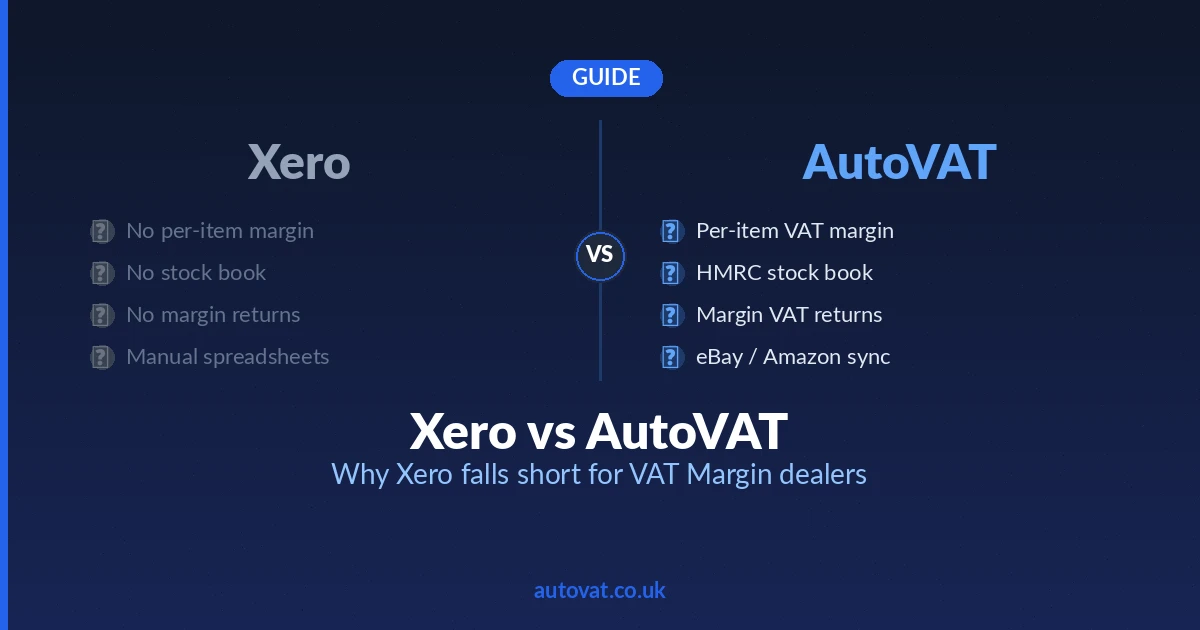
Most general-purpose MTD-compatible accounting software — QuickBooks, Xero, Sage — can submit a VAT return digitally, but they cannot calculate the margin scheme figures in the first place. You still need a way to produce the correct Box 1 (output VAT) figure for your VAT return, which for margin scheme sellers means tracking individual item margins accurately.
This creates a gap: the software can submit the return digitally, but it cannot generate the right numbers to put in it. Many dealers end up using a spreadsheet to calculate their margin scheme figures and then bridging those figures into their accounting software for MTD submission — which works but adds complexity and manual steps.
How AutoVAT handles MTD compliance
AutoVAT calculates your VAT Margin Scheme figures correctly — tracking every purchase and sale, calculating individual margins, and producing the accurate VAT amount for your return. Those figures can then be submitted through an MTD-compatible route, keeping you fully compliant without the manual bridging steps that many dealers currently rely on.
We configure your MTD compliance as part of setting up AutoVAT for your business. Whether you file directly, through your accountant, or via an integration with your accounting software, we make sure the right numbers reach HMRC in the right format. Get in touch to find out how this works for your specific setup.
What happens if you are not MTD-compliant?
HMRC can issue penalties for MTD non-compliance. Penalties apply for failing to keep digital records and for failing to submit returns through the correct MTD channel. HMRC has moved gradually on enforcement in the early years of MTD, but the expectation is full compliance, and penalties can apply to each VAT return period where the rules are not followed. For the current penalty regime, see HMRC's MTD penalties guidance.